
HotShots
Entertainment




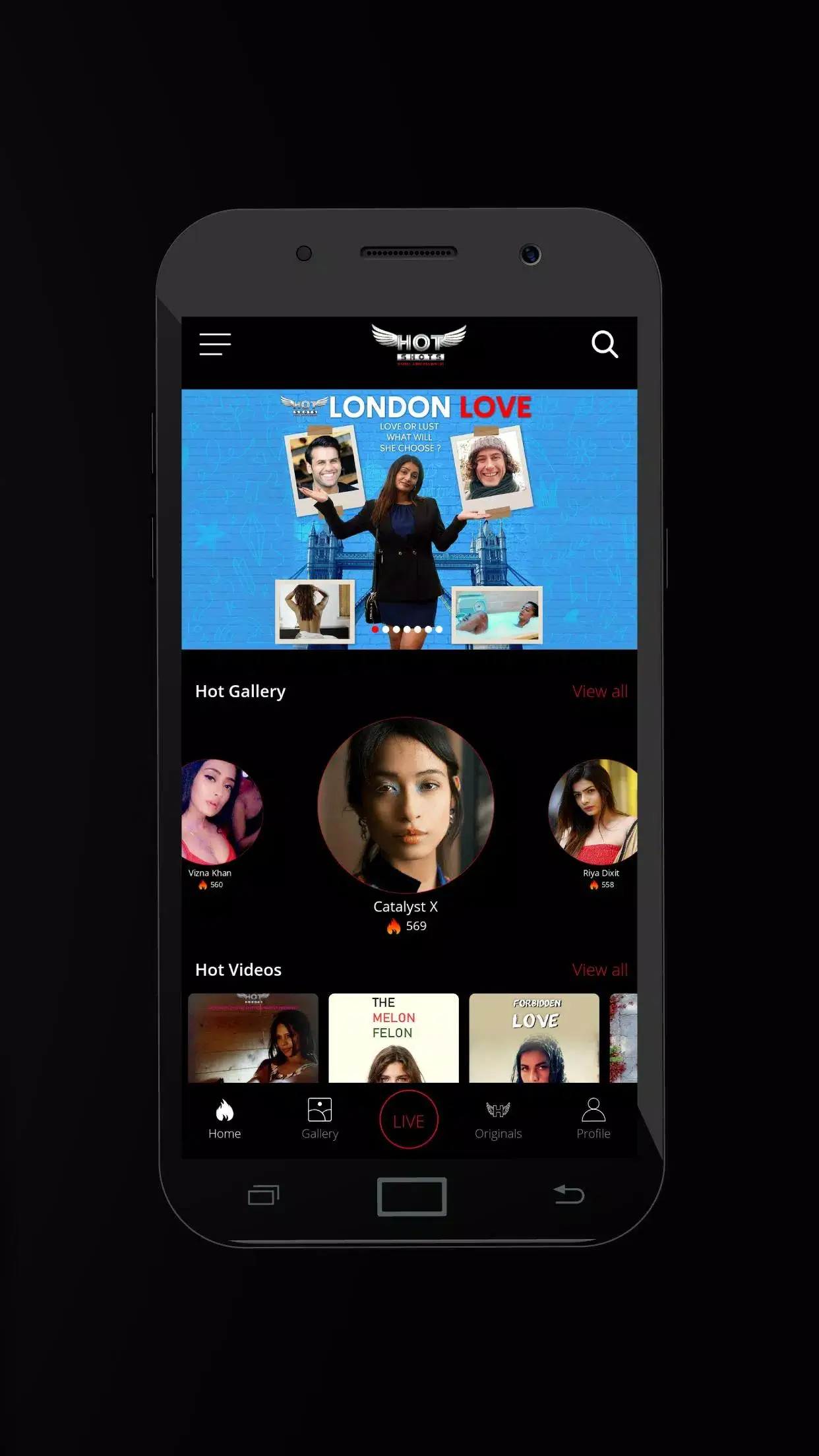

HotShots is an Android entertainment app packaged as com.hotshotsworld. The latest release, version 1.1.0, was updated on 24 September 2025 and weighs about 48 MB.
This page provides the essential details you need before downloading, including installation steps, compatibility notes, and security considerations.
Quick Information
| App/Game Name | HotShots |
| Latest Version | 1.1.0 |
| Developer | Not listed |
| Category | Apps / Entertainment |
| App Size | 48 MB |
| Package Name | com.hotshotsworld |
| Last Updated | 24 September 2025 |
What Is HotShots?
HotShots falls under the Entertainment category, indicating it is designed for leisure use on Android devices. Specific functionality, feature list, and user ratings are not publicly listed, so potential users should review the app’s permissions and description after installation to confirm it meets their expectations.
Compatibility
| Android Version | ✓ Verified — 5.0 & Above |
| Architecture (ARM64 / 32-bit) | ✓ Verified — Supports common device architectures |
| Internet Connection | ✓ Verified — May be required for ads, updates, or login |
| Storage Needed | Not Verified |
| OBB/Data Files | Not Verified |
| Root Required | Not Verified |
How to Install
- Enable installation from unknown sources: Settings → Security → Allow installation of apps from unknown sources (or Settings → Apps & notifications → Special app access → Install unknown apps, then select your browser).
- Download the HotShots APK file to your device.
- Open the downloaded file and tap Install.
- Wait for the installation to finish, then tap Open to launch the app.
- If you receive a prompt about missing additional files (e.g., OBB), the app may not function correctly without them.
Troubleshooting
- App not installed: Ensure the APK is complete and not corrupted. Verify that your device allows installations from unknown sources.
- Crashes on startup: Clear app data (Settings → Apps → HotShots → Storage → Clear data) and try reinstalling.
- MOD features not working: This is an official build; no MOD features are present.
- Login or online authentication issues: Check your internet connection and make sure any required services are reachable.
Safety & Security
HotShots is distributed as an APK file. Always download from a reputable source and scan the file with an up‑to‑date antivirus program before installing. Review the permissions the app requests; if it asks for access unrelated to its entertainment purpose (e.g., contacts, SMS), consider the risk before proceeding. Keep in mind that future updates from the original developer may not be compatible with a modified build.
How HotShots Compares
| Feature | HotShots | YouTube | VLC for Android |
|---|---|---|---|
| Price / Free model | Not specified | Free with ads (ad‑free via YouTube Premium) | Free, open‑source |
| Platform availability | Android only | Android, iOS, web | Android, iOS, Windows, macOS, Linux |
| Standout feature | Not specified | Massive user‑generated video library | Wide format support, no ads |
| Best for | Not specified | Streaming video content | Local media playback |
Alternatives
- YouTube – The most popular video‑streaming platform, offering a vast catalog of free and premium content.
- MX Player – A versatile media player with support for subtitles, hardware acceleration, and streaming links.
- VLC for Android – Open‑source player that handles almost any video or audio format without ads.
- Netflix – Subscription‑based service focused on high‑quality original series and movies.
- Amazon Prime Video – Another subscription service with a large library of movies, TV shows, and exclusive titles.
Final Verdict
HotShots is a modest‑sized Android entertainment app with limited public information about its exact capabilities. Users who are comfortable reviewing app permissions and testing basic functionality may find it worth a try, especially if they prefer lightweight apps. However, because details such as features, pricing, and user feedback are not disclosed, consider trying a well‑known alternative first if you need guaranteed functionality.
Frequently Asked Questions
Download HotShots only from trusted sources, scan the APK with an antivirus, and review the permissions it requests before installing.
The latest available version is 1.1.0, released on 24 September 2025.
The minimum Android version is not listed; check the app’s Play Store or APK details for the exact requirement.
No OBB or extra data files are mentioned, but if the app prompts for them, they may be required for full functionality.
This can happen if the APK is corrupted, if your device blocks installations from unknown sources, or if the app is incompatible with your Android version.
Yes, you can install the new APK over the existing one; the installer will replace the older version while keeping your data.
Older versions are not listed in the provided data, so they may not be readily available.
Root access is not required for a standard APK installation.